Speeding up a landing page
Swapping a heavy GIF for a short silent MP4 is one of the easiest ways to cut page weight.
Turn a heavy GIF into a compact MP4 that loads faster and plays smoother. Trim it, resize it and check the file size before you convert.
A GIF stores almost every frame as a picture, limited to 256 colours. An MP4 stores only what changes from frame to frame, with far better colour. The same moving image is often many times smaller as an MP4, which is why most big sites quietly serve their "GIFs" as short videos.
That makes MP4 the better choice for web pages, landing pages and apps where you control the page and can play a video silently on repeat. It is not the right choice for places that only accept GIFs, such as some email clients and a few chat tools.
Two things to know before you convert. MP4 has no built-in loop setting, so the clip plays once unless the player or the page repeats it (a video tag with the loop attribute does exactly that). And GIFs have no sound, so the MP4 will be silent as well.
Drop the file in or paste it. The tool reads the GIF's size and length straight from the file.
Cut the loop down to the part you need. Shorter clips are smaller and load faster.
The format is already set to MP4. Keep the width close to the GIF's own width, since enlarging a small GIF doesn't add detail.
Compare the estimate with your original GIF's size, then download the MP4.
Treat these as a first try, not a rule. The size estimate tells you quickly whether to nudge them up or down.
| If you're making | Try | Why it works |
|---|---|---|
| GIF for a web page | MP4 · same width as the GIF · Balanced quality | Small and sharp, and you can loop it with a video tag. |
| Heavy GIF that is slowing a page | MP4 · 480px · Smallest quality | Cuts load time the most. |
| Sharing to an app that takes video | MP4 · 720px · Best quality | Keeps detail for a feed or message. |
| Needs to loop in a post | WebP · same width | WebP loops by itself, unlike MP4. |
Swapping a heavy GIF for a short silent MP4 is one of the easiest ways to cut page weight.
Some platforms turn GIFs into video behind the scenes. Uploading the MP4 yourself keeps the quality in your hands.
Most editors prefer a video file. Convert once, then trim, caption or combine it there.
MP4 files have no loop flag. Use the loop option in your player, a video tag with the loop attribute, or export WebP, which does loop.
You probably enlarged a small GIF. Set the width to match the original, and use Best quality.
Results can be up to 60 seconds. Trim the clip or speed it up and try again.
Most email clients don't play MP4. Keep it as a GIF and use the compress tool to make it lighter.
These are real screenshots from this site, taken with a demo clip. Your own file will give different sizes, but the controls are exactly these.
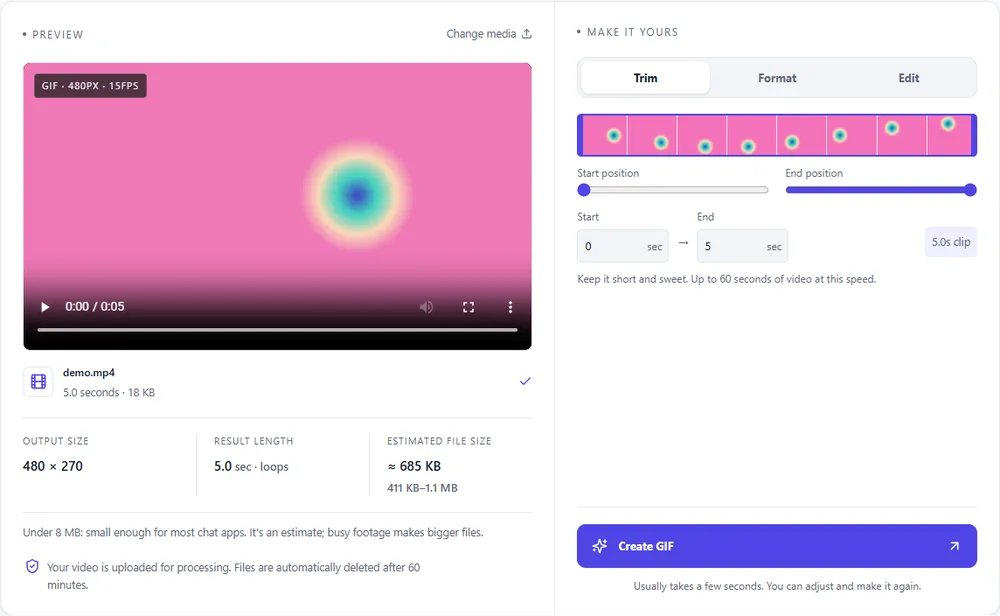
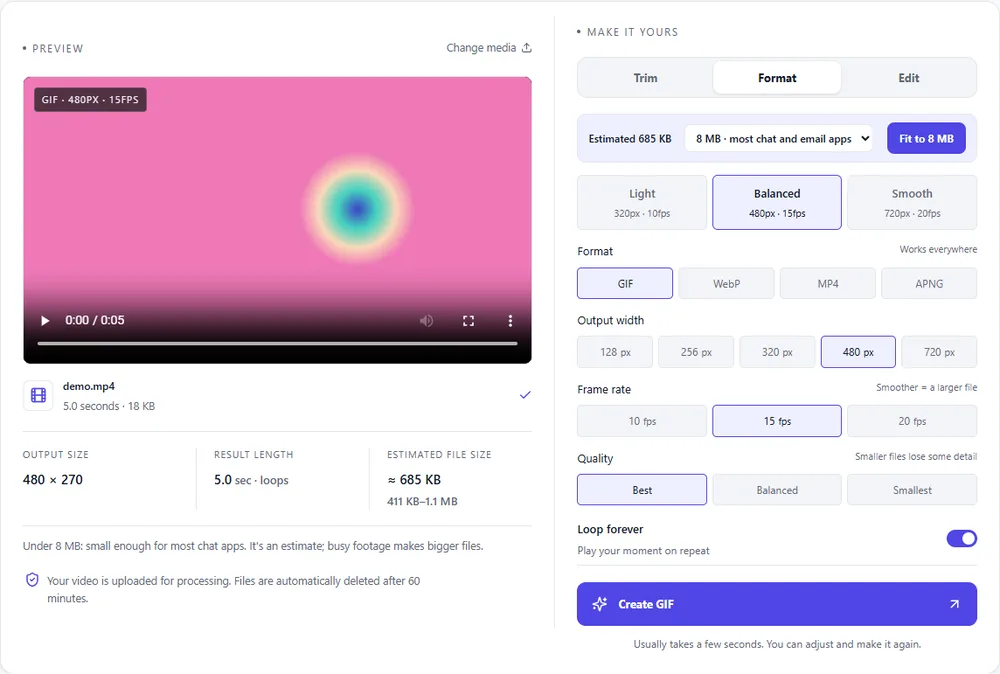
You are leaving GIF behind, so here is how the modern options compare for a clip that started as a GIF.
| Format | For this clip | Typical size | Good to know |
|---|---|---|---|
| MP4Suggested | The smallest and smoothest result, widely supported for video. Add a loop in the player. | About 15× smaller | Up to 1080px and 30fps, no loop flag |
| GIF | Re-exporting as GIF only makes sense to trim or resize. It will not get smaller by itself. | Largest | 256 colours, up to 720px and 20fps |
| WebP | Loops on its own and is also much smaller than a GIF. Choose it where MP4 would not repeat. | About 5× smaller | Full colour, animated, loops |
| APNG | Lossless and large. Rarely a good home for an old GIF. | Larger than GIF | Lossless, full colour, loops |
Can’t find yours? The converter explains problems in plain language as they come up.
Almost always, often by a large margin, because MP4 uses modern video compression. The estimate shows what to expect for your clip.
Not on its own. A player or a web page has to repeat it, for example a video tag with the loop attribute. If you need a self-looping file, choose WebP.
It usually improves, because MP4 supports full colour. The result can't recover detail the GIF never had, though.
No. GIFs carry no audio, so the MP4 is silent.
Uploads can be up to 100 MB. If your GIF is bigger, trim it or lower its dimensions first.
It's free, there's nothing to sign up for, and your files are gone within the hour.