Your own photos
Always safe to use. Screenshots of your own work and pictures you took are the easiest starting point.
Add text to a picture, GIF or short video and make a meme in seconds. No watermark, no sign-up, and no template library to scroll through: bring your own picture.
These are real screenshots from this site, taken with a demo clip. Your own file will give different sizes, but the controls are exactly these.
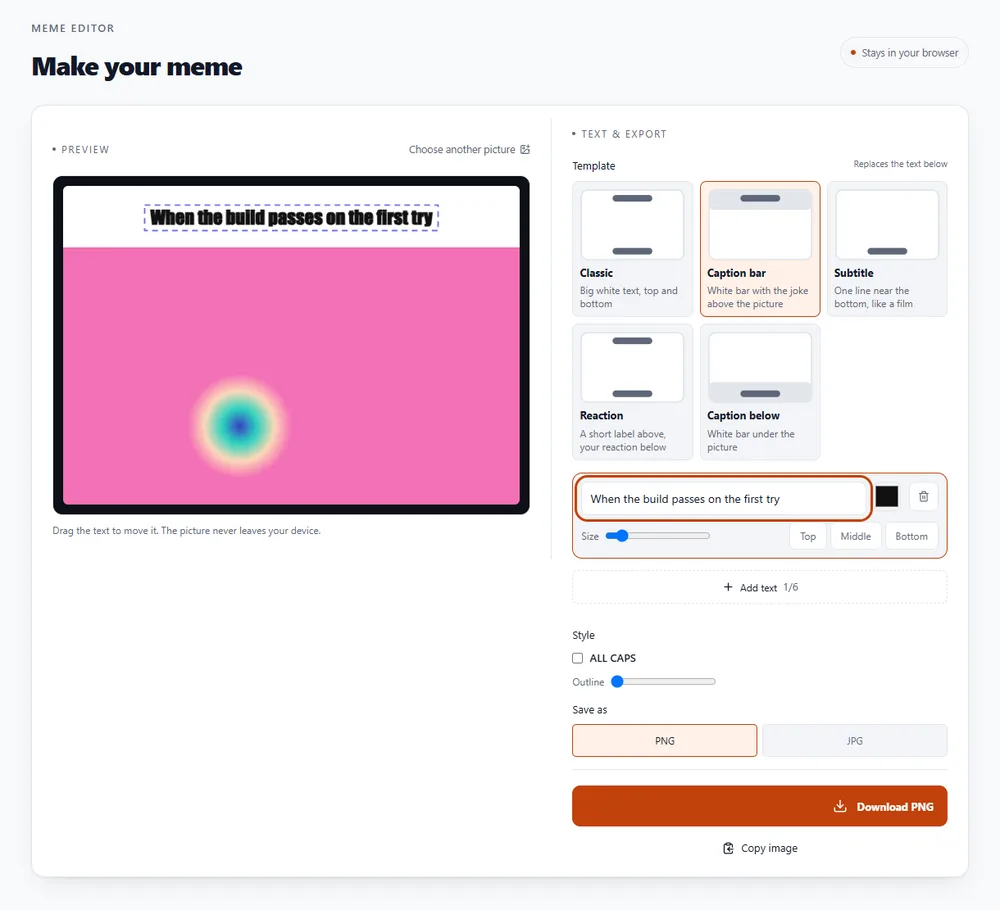
A good meme is one idea in as few words as possible. The classic format puts a setup on top and a punchline at the bottom, over a picture that makes the joke land.
For a picture meme, everything happens in your browser, so nothing is uploaded. For a GIF or video meme, the clip is processed on our server because that needs video software, and the original is deleted as soon as the GIF is made.
Drop it in the box at the top, paste it with Ctrl+V, or click to browse.
Type the top and bottom lines. Keep each to a handful of words; long lines shrink to fit.
Drag the text where you want it, change the size and colour, and choose whether it's ALL CAPS.
Save a PNG or JPG, or copy the image and paste it straight into a chat.
Always safe to use. Screenshots of your own work and pictures you took are the easiest starting point.
Many photographers share images under licences that allow edits. Check the licence and give credit if it asks for it.
Memes made from famous photos or film stills are often copyrighted. Sharing privately is common; selling or advertising with them isn't safe.
Be kind. Don't make memes that harass someone, or that use a private person's photo without their say-so.
Take a screenshot from a video call, add a one-line caption, and it's ready before the conversation moves on.
A good meme explains a sprint, a bug or a meeting better than a paragraph. Keep it kind and keep it short.
Drop a few seconds of video or a GIF in, use Add top & bottom text, and the caption stays on every frame.
Can't find yours? Ask us on the contact page.
Add a picture, type your text into the top and bottom boxes, drag it where you want it, and download the result as a PNG or JPG. For a GIF or video meme, add the clip instead, open the Edit tab and add captions.
Not for picture memes. The text is drawn and the image is saved entirely in your browser, so the picture never leaves your device. GIF and video memes are processed on our servers, and the original is deleted as soon as the GIF is made.
No. There's no watermark and no sign-up, for picture memes and for GIF memes.
Most popular meme pictures belong to photographers, studios or other people, and we don't want to hand out their work. Use your own photo, or an image you have the right to use, or download one from a source that allows it.
The classic bold white text with a black outline is used by default. It uses Impact when your device has it installed (most Windows and Mac computers do) and a similar bold font otherwise. The font isn't downloaded from our site.
Yes. Add a GIF, a short video or a few pictures, and the editor opens on the Edit tab. Use Add top & bottom text, then drag and resize the captions. The captions are drawn on every frame.
Picture memes can be saved as PNG (sharper, larger) or JPG (smaller). Animated memes can be saved as GIF, WebP or MP4.
It's free, there's nothing to sign up for, and your files are gone within the hour.