The satisfying un-spill
Reverse a pour or a splash and the liquid seems to leap back into the glass.
Play something backwards and it tells a different story. Spilled coffee jumps back into the cup. Someone lands a jump before they've taken off. A boomerang goes forward and then back, which is exactly why it loops so smoothly: the end leads straight back into the start.
Both effects need the whole selection held in memory while it's flipped, so there's a limit. By default it's about 40 seconds at 15fps, or 60 at 10fps. You'll rarely get near it, because the best reversed clips are two to four seconds long anyway.
With a boomerang, the turning frame isn't shown twice, so there's no little stutter where it changes direction. You can also mix direction with speed. A slowed-down reverse looks surprisingly dramatic.
Drop it in or paste it, then trim it to a short moment.
Under Direction, pick Reverse. Or Boomerang, if you want it to go forward and back.
Slow it down or speed it up if you like. The result length updates as you go.
Check the estimate (a boomerang has twice the frames) and download.
Treat these as a first try, not a rule. The size estimate tells you quickly whether to nudge them up or down.
| If you're making | Try | Why it works |
|---|---|---|
| Classic backwards clip | Reverse · 480px · 15fps · 2 to 4 seconds | Short, punchy, and still small. |
| Seamless loop | Boomerang · 480px · 15fps · 1 to 2 seconds | Doubles into a 2 to 4 second loop. |
| Dramatic reveal | Reverse · speed 0.5× | Slowing it down really sells the effect. |
| Small and shareable | Boomerang · 320px · 10fps · Smallest | Keeps a doubled clip light enough to send. |
Reverse a pour or a splash and the liquid seems to leap back into the glass.
A wave or a jump that ends far from where it started looks jarring on repeat. Boomerang it and the jump disappears.
Put Reverse together with half speed and an object looks like it's building itself.
Reverse and boomerang have a frame limit. Shorten the selection or drop the frame rate.
Fast movement right at the turning point makes it more obvious. Trim to a calmer moment.
A boomerang has twice the frames. Trim it, or lower the width and frame rate.
The preview always plays forwards. The export is reversed, so check it once it's converted.
These are real screenshots from this site, taken with a demo clip. Your own file will give different sizes, but the controls are exactly these.
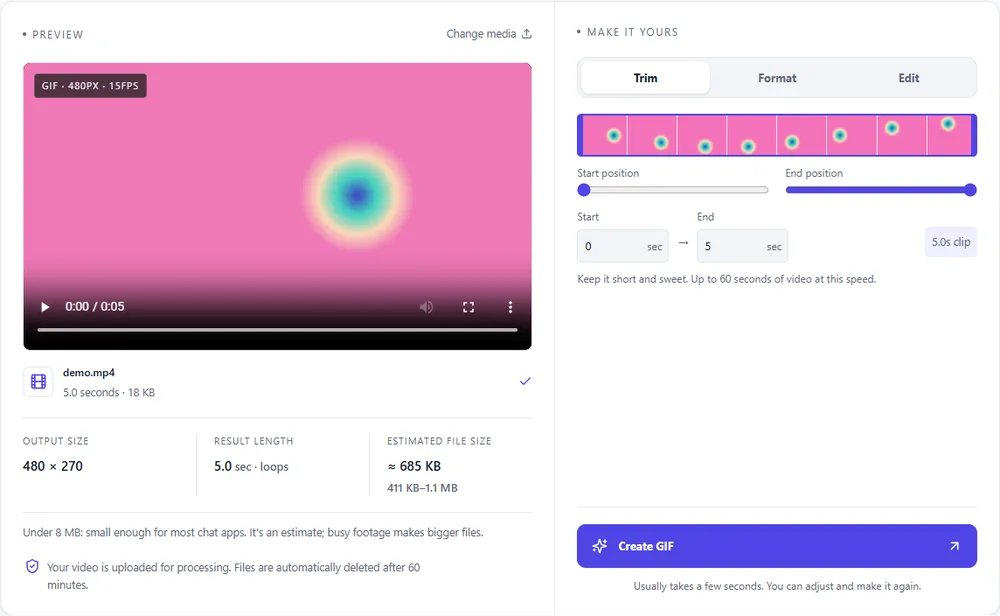
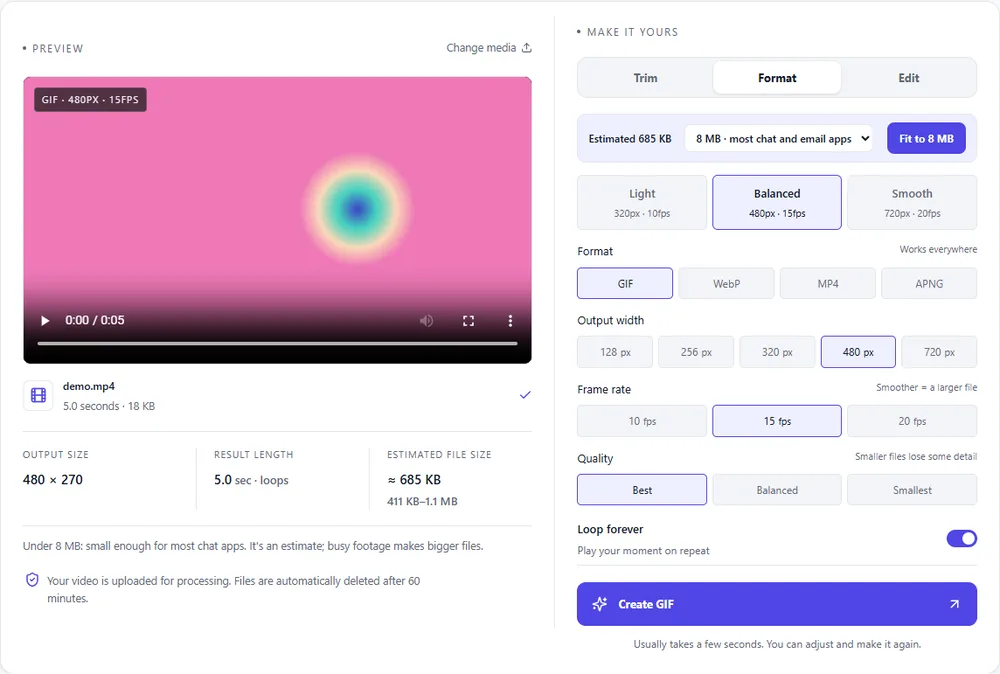
A boomerang doubles the number of frames, so the format you pick makes a bigger difference here than usual.
| Format | For this clip | Typical size | Good to know |
|---|---|---|---|
| WebPSuggested | Loops on its own and keeps a boomerang small and colourful. | About 5× smaller | Full colour, animated, loops |
| GIF | Plays everywhere, but a doubled clip gets big quickly. Keep it short. | Largest | 256 colours, up to 720px and 20fps |
| MP4 | The smallest, though you'll have to loop it in the player. | About 15× smaller | Up to 1080px and 30fps, no loop flag |
| APNG | Lossless but heavy, and a boomerang doubles that. | Larger than GIF | Lossless, full colour, loops |
Can’t find yours? The converter explains problems in plain language as they come up.
Reverse plays the clip backwards once. Boomerang plays it forwards and then backwards, which makes a smooth loop that never seems to end.
By default, about 40 seconds at 15fps or 60 at 10fps. Short ones look better though.
Yep. Loop forever is on by default.
Yes, pick a speed in the Edit tab as well as the direction.
It does. MP4, MOV, WebM and GIF can all be reversed.
It's free, there's nothing to sign up for, and your files are gone within the hour.