An animated sticker for chats
Film a wave or a dance in front of a plain sheet, key it out, and you have a sticker nobody else has.
Film something in front of a flat colour, pick that colour, and it disappears. You get an animated sticker you can drop onto any background, as a GIF, a WebP or an APNG.
This works by colour, not by magic. You tell the tool which colour is the background, and every pixel close to it is made see-through. That's the same idea as a green screen in a film studio, and it's why it works so well on a plain wall, a sheet of coloured paper, a white slide or an animation exported on a flat colour. It does not cut a person out of a messy room. For that you'd need a tool that understands what's in the picture, and this isn't one.
There's one honest limitation with GIF itself. A pixel in a GIF is either fully see-through or fully solid, with nothing in between. So the edges of your subject can look a little jagged, and if the colour is close to the background you might see a faint rim of it. WebP and APNG have proper partial transparency, so their edges are soft. If the sticker is going on a page you control, WebP is almost always the better choice.
If a fringe is left around the edges, raise the "how close counts" slider a little. If bits of your subject start to vanish, lower it. Most clips are right somewhere between 10% and 25%.
A green screen is ideal, but a white wall, a black backdrop or an animation on a plain colour all work.
Keep it short. Stickers are small things, so 256 or 320 pixels wide is usually plenty.
Click the colour box or use Pick from screen, then choose the background. Adjust how close counts until the edges look clean.
GIF works everywhere. WebP or APNG give smoother edges. The result is shown on a checkerboard so you can see what's see-through.
Treat these as a first try, not a rule. The size estimate tells you quickly whether to nudge them up or down.
| If you're making | Try | Why it works |
|---|---|---|
| Chat sticker | 256px · 15fps · WebP · 2 to 3 seconds | Small, smooth edges and a file that loads instantly. |
| Emoji for a workspace | 128px · 10fps · GIF · under 2 seconds | Emoji uploads are strict about size, so everything is kept as small as it goes. |
| Logo animation for a site | 480px · 20fps · WebP or APNG | Soft edges look right on any background colour. |
| Green screen reaction | 480px · 15fps · GIF · similarity about 20% | Wide support, and a clean key on an evenly lit screen. |
Film a wave or a dance in front of a plain sheet, key it out, and you have a sticker nobody else has.
Export from your animation tool on a flat colour, remove it here, and drop the result on a light or dark section alike.
A little looping face or icon, kept at 128 pixels and a couple of seconds, fits the strict size limits.
Raise "how close counts" a few points. If it only shows on dark backgrounds, export WebP, which has soft edges.
Lower the slider. Something in the subject is close to the background colour, and a different backdrop would solve it.
MP4 can't be transparent, so it's switched to GIF when you turn this on. Check you haven't picked MP4 again in the Format tab.
That's how GIF works. It's all-or-nothing per pixel. Use WebP or APNG for smooth edges.
Use the 128px width, 10fps, and keep it under two seconds. You may need to try the Light quality too.
These are real screenshots from this site, taken with a demo clip. Your own file will give different sizes, but the controls are exactly these.
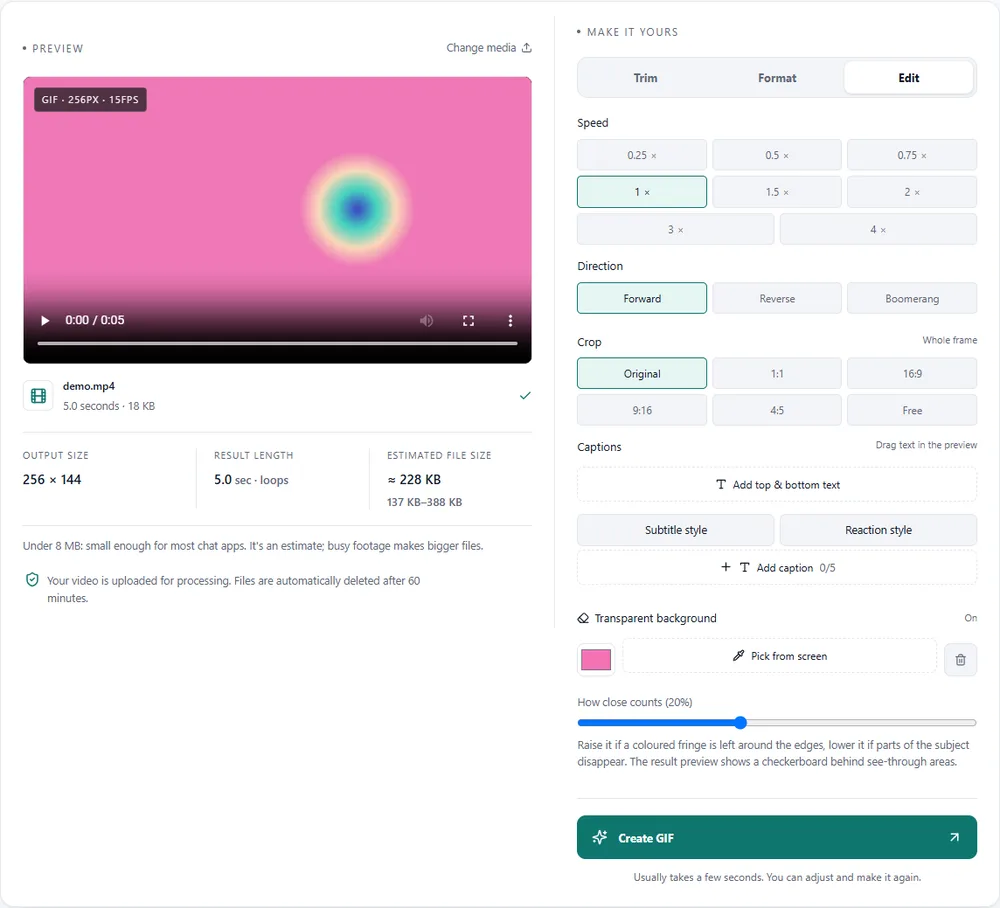
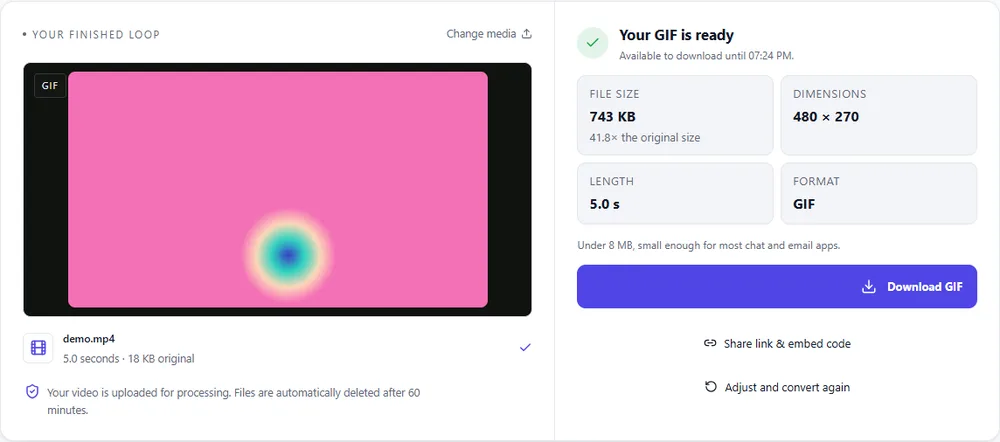
Transparency is the one place the choice of format changes how good the result looks, not just how big it is.
| Format | For this clip | Typical size | Good to know |
|---|---|---|---|
| WebPSuggested | Soft, smooth edges and a small file. Supported in all current browsers and most chat apps. | About 5× smaller | Full colour, animated, loops |
| GIF | Works in every app, but each pixel is fully on or fully off, so edges are a little hard. | Largest | 256 colours, up to 720px and 20fps |
| MP4 | Not available. Video has no transparency in this format. | About 15× smaller | Up to 1080px and 30fps, no loop flag |
| APNG | Soft edges and lossless colour. Larger than WebP, but reliable on graphics. | Larger than GIF | Lossless, full colour, loops |
Can’t find yours? The converter explains problems in plain language as they come up.
Add a clip filmed against a flat colour, open the Edit tab, press Make a colour transparent, pick the background colour, and create the GIF. It works best with a green screen or a plain backdrop.
No. It removes one colour, so a messy or changing background won't come out cleanly. It's built for green screens, plain backdrops and animations on a flat colour.
A GIF pixel is either transparent or solid, with no soft edge in between. WebP and APNG support partial transparency and look smoother.
GIF, WebP and APNG. MP4 cannot, so it isn't offered when transparency is on.
Small. Use 128 or 256 pixels wide and keep the clip short. Check the size limit of the app you're uploading to, as each one has its own.
No. Your clip is processed on our server and deleted automatically after an hour, as with every other tool here.
It's free, there's nothing to sign up for, and your files are gone within the hour.