iPhone clips for people on other devices
A GIF plays in any browser and any chat, whether the recipient is on Android, Windows or a Mac.
Turn iPhone clips and Mac screen recordings into GIFs that play anywhere. Portrait videos stay upright, you choose the exact moment, and you see the estimated size before you convert.
MOV is Apple's QuickTime container. Your iPhone saves camera clips into it, and the screen recorder built into macOS saves there too. It plays beautifully on Apple devices, but plenty of chat apps, help-desk tools and email clients won't show a MOV inline, which is exactly where a GIF helps.
Phone clips come with two quirks worth knowing. First, they are usually 1080p or 4K, far larger than a GIF needs, so the converter scales them down to the width you choose. Second, newer iPhones can record with the HEVC codec, which some browsers can't preview. If your preview stays blank, you can still type the start and end times yourself and convert as normal.
Videos shot upright keep their orientation, so a portrait clip comes out as a portrait GIF rather than a sideways one.
Drop the file in, paste it, or import a direct link. If the browser shows no preview, type the start and end times instead.
Phone clips tend to have a slow start and a long tail. Select just the few seconds you actually want to share.
Choose 1:1 for feeds, 9:16 to keep it vertical, or crop freely to focus on one part of a screen recording.
Check the estimate, convert, and download the GIF. Adjust and run it again if it's not quite right.
Treat these as a first try, not a rule. The size estimate tells you quickly whether to nudge them up or down.
| If you're making | Try | Why it works |
|---|---|---|
| Sharing an iPhone clip in chat | 480px · 15fps · 3 to 5 seconds · Balanced | Looks clear on a phone and keeps the file moderate. |
| Mac screen recording for a ticket | 720px · 10fps · crop to the window | Sharp text, low frame rate, small file. |
| Vertical clip for a post | Crop 9:16 · 320px · 15fps | Keeps the portrait shape and stays light. |
| Looping a pet or baby moment | 480px · 20fps · Boomerang · 2 seconds | Boomerang makes a tiny moment feel alive. |
A GIF plays in any browser and any chat, whether the recipient is on Android, Windows or a Mac.
QuickTime recordings are MOV. Crop to the window, drop to 10fps and attach a GIF that loads in the ticket.
Pull three seconds out of a long recording of the kids or the dog and share just that.
Your browser probably can't decode the codec, often HEVC. Type the start and end times and convert; the server can read it even when your browser can't.
Orientation is read from the file and applied automatically. If it still looks wrong, re-export the clip from your phone's editor and try again.
Check the file is under 100 MB and really is a video. Trimming it on your phone first usually solves it.
GIF palettes are limited to 256 colours. Use Best quality, or switch the format to WebP for full colour.
These are real screenshots from this site, taken with a demo clip. Your own file will give different sizes, but the controls are exactly these.
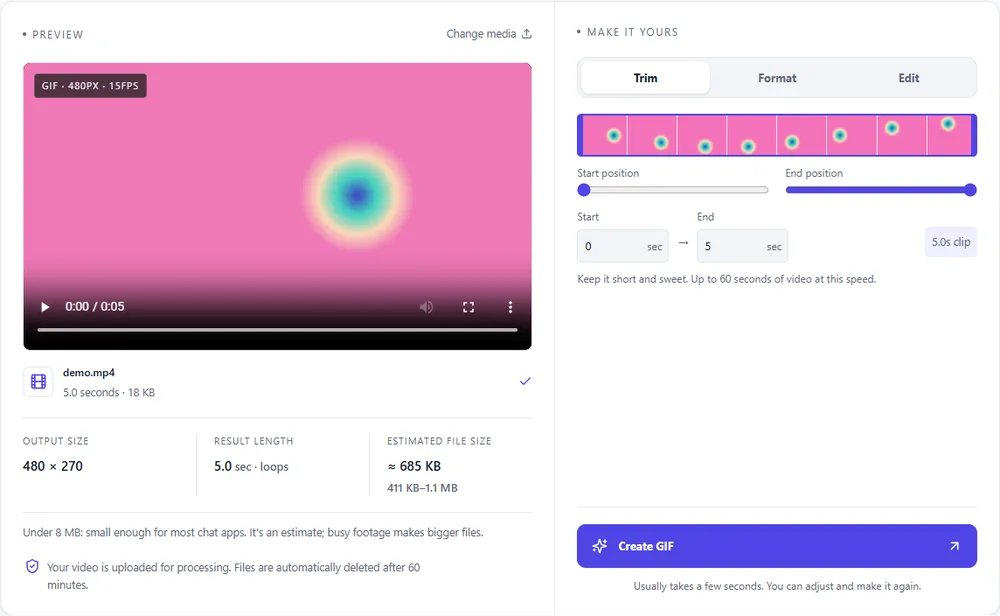
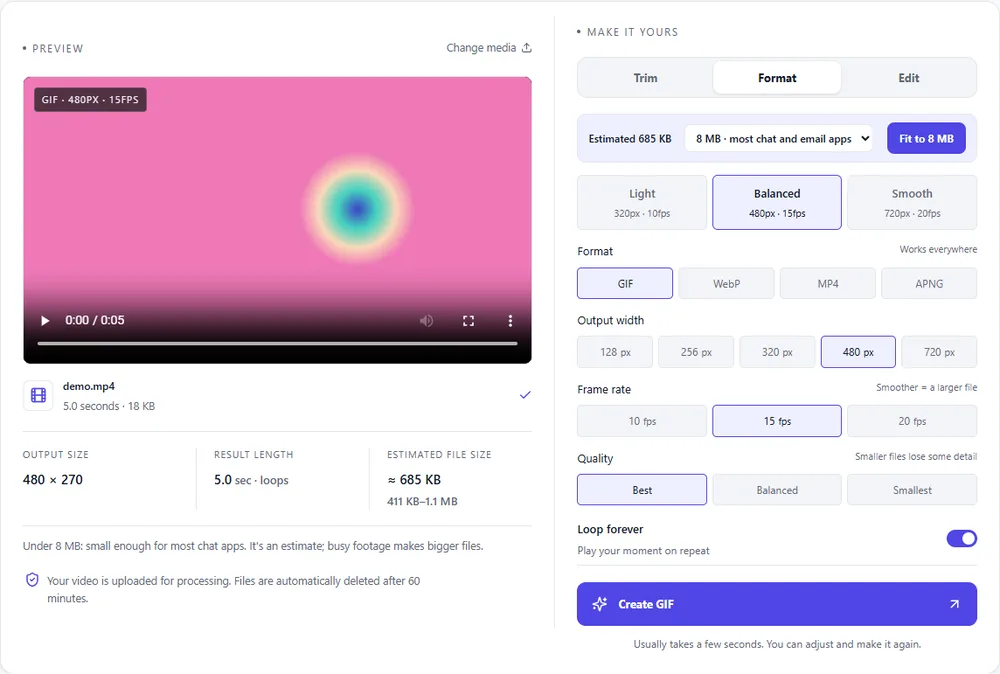
iPhone and Mac recordings are large to begin with. Here is how each output compares when you start from a MOV.
| Format | For this clip | Typical size | Good to know |
|---|---|---|---|
| GIFSuggested | Plays in any chat or email. Phone footage has lots of fine detail, so GIFs from it get big quickly. | Largest | 256 colours, up to 720px and 20fps |
| WebP | Keeps full colour (good for skin tones and sky gradients) at a much smaller size. | About 5× smaller | Full colour, animated, loops |
| MP4 | Re-exporting as MP4 gives you a small, widely playable video that works where a MOV doesn't. | About 15× smaller | Up to 1080px and 30fps, no loop flag |
| APNG | Rarely the right choice for camera footage; the files are very large. | Larger than GIF | Lossless, full colour, loops |
Can’t find yours? The converter explains problems in plain language as they come up.
Yes. Choose the clip from your device, trim it, and convert. Portrait videos are kept upright automatically.
Your browser may not support the codec inside it, commonly HEVC. You can still enter the start and end times by hand and the clip is checked and converted on the server.
Yes. QuickTime Player and the macOS screenshot toolbar both save MOV files, and both convert fine.
Some, because a GIF is limited to 256 colours per frame while your video uses millions. A larger width, Best quality, and avoiding dark gradient-heavy scenes all help; WebP avoids the limit completely.
The original is deleted as soon as the conversion finishes, and the result is removed after an hour. The privacy policy explains it in full.
Export the Live Photo as a video from your phone first, then upload that video file.
It's free, there's nothing to sign up for, and your files are gone within the hour.