A loop on a web page without a video player
Animated WebP goes in an ordinary image tag, so there is no player, controls or autoplay policy to deal with.
Animated WebP is a modern image format that behaves like a GIF but keeps full colour and compresses far better. It loops on its own and can be dropped into a web page with an ordinary image tag, with no video player needed.
Browser support is strong: current versions of Chrome, Firefox, Safari and Edge all show it. Support in other places is more mixed. Some chat apps, email clients and older software don't animate it, so check where you plan to share it. When in doubt, a GIF is the safe fallback.
Compared with MP4, WebP loops by itself, which is why it's the usual replacement for GIFs in web pages. MP4 is usually smaller still, but needs a video element to loop and play silently.
Drop the file in, paste it, or import a direct link.
Select the part you want and crop to the shape that suits the page.
The format is set to WebP. Pick a width and frame rate; 480px at 15fps is a good start.
Compare the estimate with a GIF by switching format, then download.
Treat these as a first try, not a rule. The size estimate tells you quickly whether to nudge them up or down.
| If you're making | Try | Why it works |
|---|---|---|
| Hero loop on a web page | WebP · 720px · 15fps · Balanced | Sharp and lighter than a GIF. |
| Documentation or README | WebP · 480px · 10fps · Balanced | Small enough to load instantly. |
| Smaller than a GIF, in chat | WebP · 480px · 15fps | Works where the app supports animated WebP. |
| Very light | WebP · 320px · 10fps · Smallest | Tiny files for thumbnails and previews. |
Animated WebP goes in an ordinary image tag, so there is no player, controls or autoplay policy to deal with.
When an app supports it, WebP gives you the same loop in full colour at a fraction of the weight.
Show a feature with a short loop that loads fast, even on slow connections.
It probably doesn't animate WebP. Export a GIF instead.
Try Best quality. Colour should be close to the original; if not, tell us on the contact page.
Busy footage compresses less. Lower the width, frame rate or length.
WebP has no sound. Export MP4 if you want to keep a video file.
These are real screenshots from this site, taken with a demo clip. Your own file will give different sizes, but the controls are exactly these.
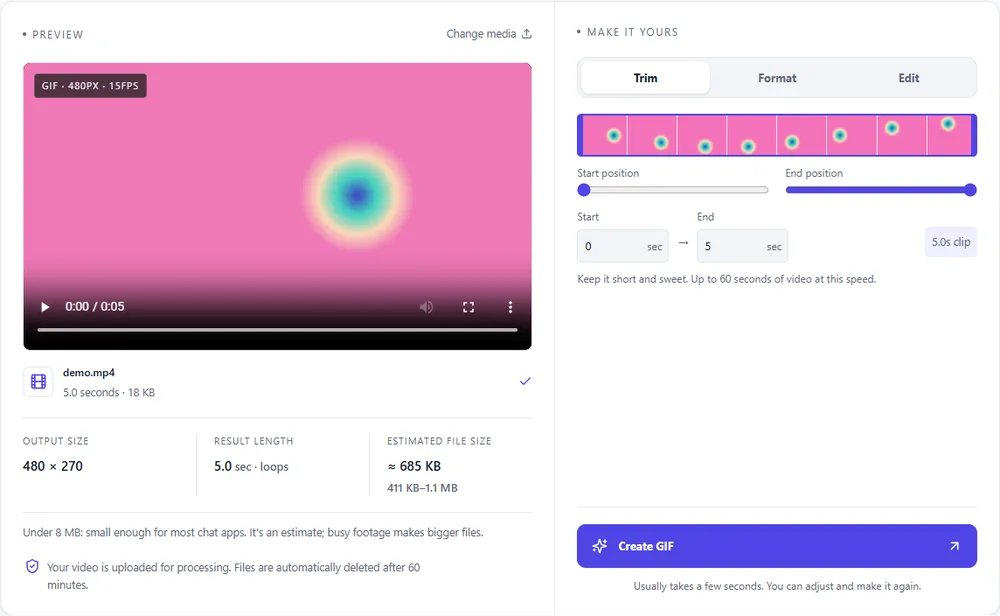
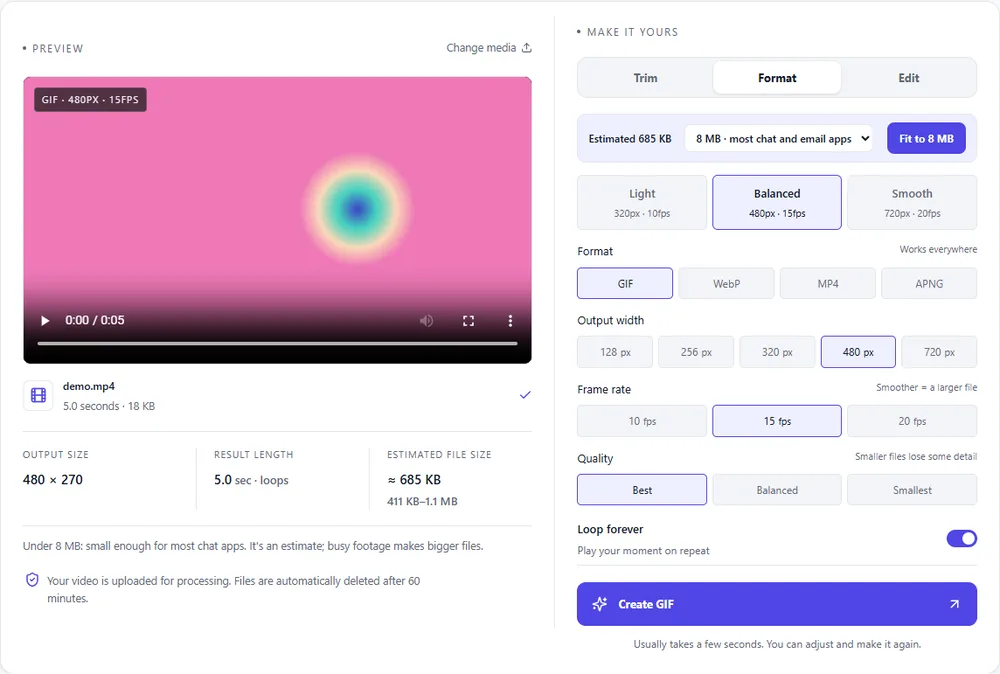
WebP is the one you're choosing, so here is how it sits next to the alternatives for a clip that started as MP4.
| Format | For this clip | Typical size | Good to know |
|---|---|---|---|
| WebPSuggested | Full colour, loops by itself, and usually far lighter than a GIF. Best for the web. | About 5× smaller | Full colour, animated, loops |
| GIF | The fallback for places that don't animate WebP. Much larger for the same clip. | Largest | 256 colours, up to 720px and 20fps |
| MP4 | Often the smallest, but needs a video element to loop silently. | About 15× smaller | Up to 1080px and 30fps, no loop flag |
| APNG | Lossless and large. Choose it only for sharp graphics. | Larger than GIF | Lossless, full colour, loops |
Can’t find yours? The converter explains problems in plain language as they come up.
For quality and size, usually yes: full colour and much smaller files. GIF is better for compatibility.
Yes. Leave Loop forever on, and it repeats on its own.
Current Chrome, Firefox, Safari and Edge all display animated WebP.
Not always. Many apps show it as a still image, so test where you'll share it.
No. WebP is an image format and has no sound.
It's free, there's nothing to sign up for, and your files are gone within the hour.