Sharing something from your phone
Your phone records MP4. A GIF of the best second plays in chats and comment boxes that won't preview video.
Pretty much everything records MP4 now: phones, screen recorders, video editors. So that's usually where a GIF starts. And a GIF is what you reach for when the clip needs to just play, no play button, in a chat, a pull request, a help article or an email.
The catch is size. A GIF is basically a stack of still pictures with a 256-colour limit, and it has none of the tricks that keep an MP4 small. An 800 KB video can easily turn into a 5 MB GIF. So most of the work is deciding what to leave out.
That's why the editor shows a size estimate. Drag the trim handles or change the width and it updates straight away, so you find the right balance before you sit there waiting for a conversion.
Drop it in, press Ctrl+V, or paste a direct link to an .mp4 file. It plays in your browser straight away.
Drag the trim handles around the bit you care about. Three to six seconds tends to work best, because a short loop just hits harder.
Cut out empty space with the crop tool. If the clip needs some context, add a caption and drag it where you want.
Look at the estimate. Too big? Drop the width or the frame rate. Happy with it? Convert and download.
Treat these as a first try, not a rule. The size estimate tells you quickly whether to nudge them up or down.
| If you're making | Try | Why it works |
|---|---|---|
| Reaction or meme | 480px · 15fps · 2 to 4 seconds · Best quality | Faces look fine at this size and the loop stays snappy. |
| Screen demo or bug report | 720px · 10fps · crop to the relevant area | Interfaces barely move, so a low frame rate is fine. Small text needs the width. |
| Product or app shot | 480px · 20fps · Balanced quality | A bit smoother, without the file getting silly. |
| Needs to be tiny | 320px · 10fps · Smallest quality · 3 seconds | About as light as it gets. Still too big? Time for WebP or MP4. |
Your phone records MP4. A GIF of the best second plays in chats and comment boxes that won't preview video.
Most code hosts and wikis show GIFs inline but not video, so a quick screen capture becomes a loop right in the page.
When a platform crushes your video, a tight GIF of the key moment can actually look cleaner.
GIF only gets 256 colours per frame, and gradients like skies suffer first. Try Best quality, go a bit wider, or export WebP, which keeps every colour.
Look at the length and frame rate first, then the width. Busy footage and a moving camera bloat it too. The estimate gets more accurate after your first export.
The finished GIF can be up to 60 seconds, and speed changes and boomerang count towards that. Shorten the selection or speed it up.
Some codecs just don't play in some browsers. Type the start and end times yourself and convert anyway. The file gets checked on the server.
These are real screenshots from this site, taken with a demo clip. Your own file will give different sizes, but the controls are exactly these.
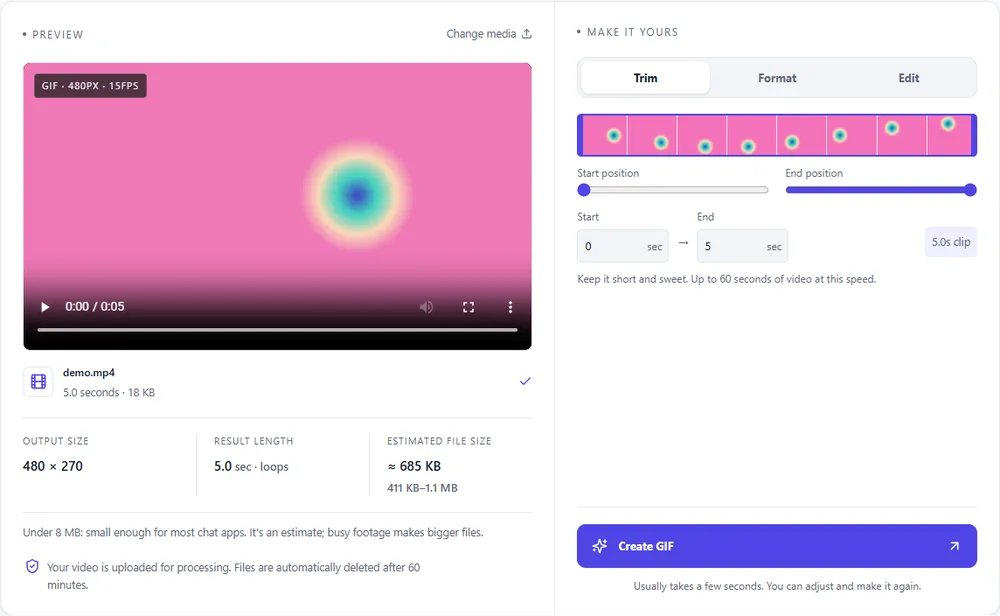
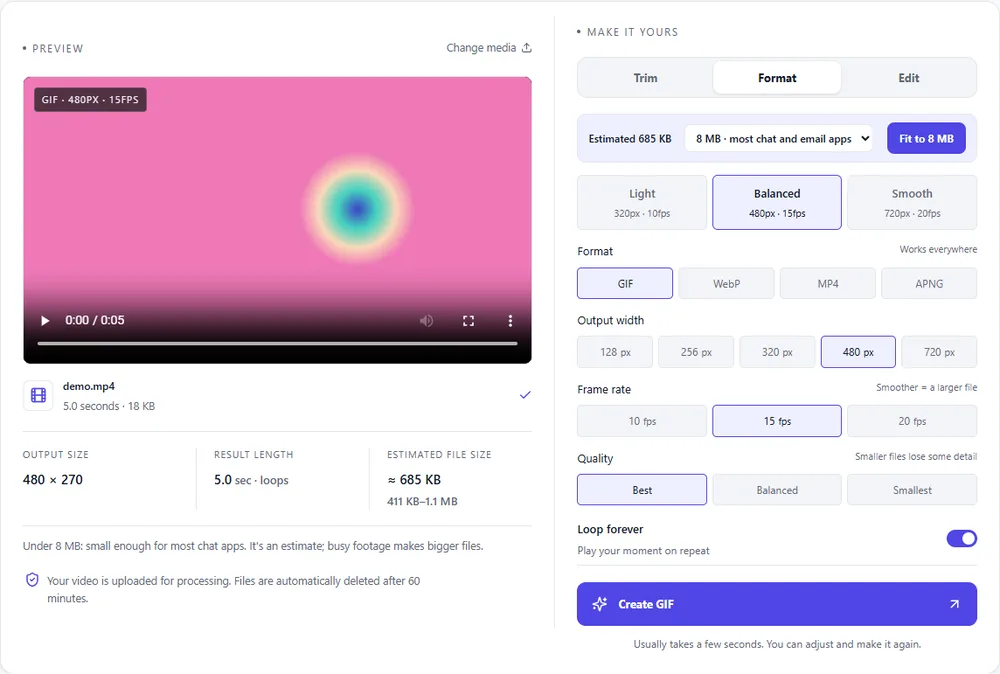
You've already got an MP4, so the real question is where this clip is going to end up.
| Format | For this clip | Typical size | Good to know |
|---|---|---|---|
| GIFSuggested | Works pretty much everywhere: chats, docs, email. Expect it to be several times bigger than your MP4, though. | Largest | 256 colours, up to 720px and 20fps |
| WebP | What most people actually want from a GIF, minus the weight. Full colour, loops, usually a fraction of the size. | About 5× smaller | Full colour, animated, loops |
| MP4 | You already have one. Only export again if you want to trim, crop, speed up or shrink it. | About 15× smaller | Up to 1080px and 30fps, no loop flag |
| APNG | Lossless, so UI captures look razor sharp. The files are the biggest of the lot. | Larger than GIF | Lossless, full colour, loops |
Can’t find yours? The converter explains problems in plain language as they come up.
Yep. No account, no watermark, no trial. There's an hourly limit per browser so the servers stay quick, but most people never get anywhere near it.
Up to 60 seconds, but honestly, GIFs that long get huge. Most good ones are 3 to 8 seconds, and the size estimate warns you before you start if you're heading for trouble.
No, GIFs can't hold audio, so it's dropped. If the sound matters, keep it as an MP4.
GIF has a 256-colour limit per frame. Pick Best quality, go a bit wider, and avoid very dark or gradient-heavy scenes. Or switch to WebP, which doesn't have that limit.
100 MB by default. If yours is bigger, trim it on your phone or lower the resolution first and upload that.
Sure. Reverse plays it backwards, and Boomerang plays it forwards and then back. Both work best on short clips.
It's free, there's nothing to sign up for, and your files are gone within the hour.