Browser screen recordings
Recorded something in Chrome? The WebM becomes a GIF you can paste into a doc or issue tracker.
Turn WebM recordings and downloads into GIFs that play in any chat, document or email. Trim the moment, crop it, and see the size before you convert.
WebM is an open video format that browsers, screen recorders and many web apps produce by default. It compresses very well, but not everything can show it: some email clients, wikis and older chat apps simply won't play a WebM, and that's where a GIF is handy.
Expect the GIF to be larger than the WebM you started with, sometimes by a lot. WebM uses modern video compression that GIF can't match. If the app you're sharing to can show WebP or MP4, exporting one of those keeps the file small and still loops.
Recordings made in a browser often contain long pauses at the start and end, while you switch windows or reach for the stop button. Trimming those out is the biggest improvement you can make.
Drop the file in, paste it, or import a direct link that ends in .webm.
Trim off the pause before you start and after you finish, and keep only the part that shows something.
Interface recordings look the same at 10fps as at 20fps, and the file is roughly half the size.
Check the estimate, choose the format, then download the result.
Treat these as a first try, not a rule. The size estimate tells you quickly whether to nudge them up or down.
| If you're making | Try | Why it works |
|---|---|---|
| Browser recording for a bug report | 720px · 10fps · crop to the page | Readable text with a small file. |
| Clip downloaded from a chat app | 480px · 15fps · 3 to 5 seconds | A solid general-purpose starting point. |
| Slide or UI walkthrough | 480px · 10fps · Smallest quality | Flat colours squeeze down well. |
| Sharing somewhere that supports WebP | Format WebP · 480px · 15fps | Same loop, far smaller than a GIF. |
Recorded something in Chrome? The WebM becomes a GIF you can paste into a doc or issue tracker.
Some apps hand you WebM files. Convert the funny part so you can send it anywhere.
Email and some older platforms skip WebM entirely. A GIF gets it in front of readers.
That's normal: GIF is less efficient. Lower the width, the frame rate and the length, or export WebP or MP4.
GIF is limited to 256 colours. Use Best quality or try WebP.
Some browser recordings lack length metadata. Type the start and end times by hand and convert.
It must be a direct link to the file itself, not a web page. Open the link in your browser; if it plays on its own, it's direct.
These are real screenshots from this site, taken with a demo clip. Your own file will give different sizes, but the controls are exactly these.
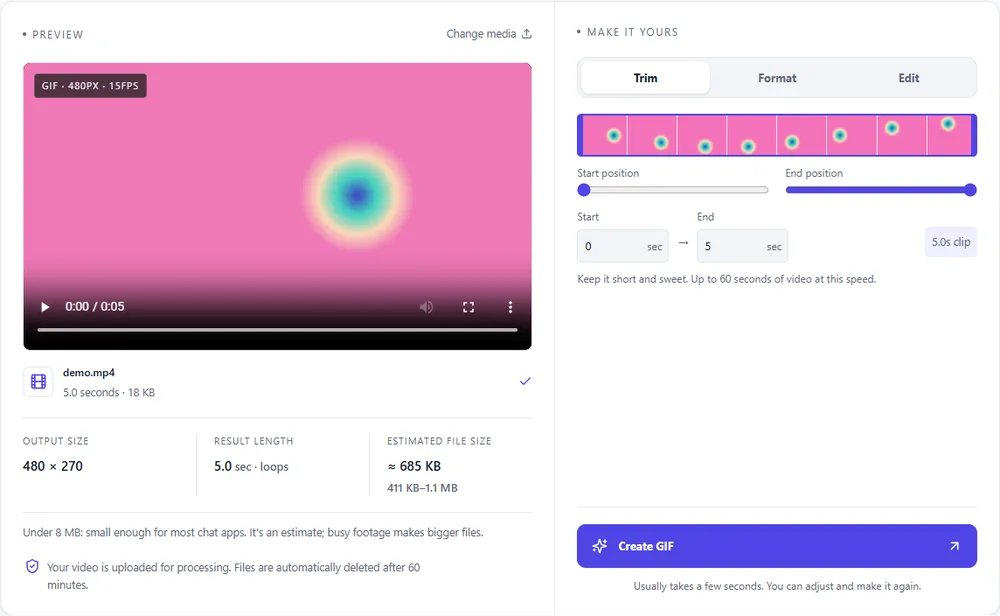
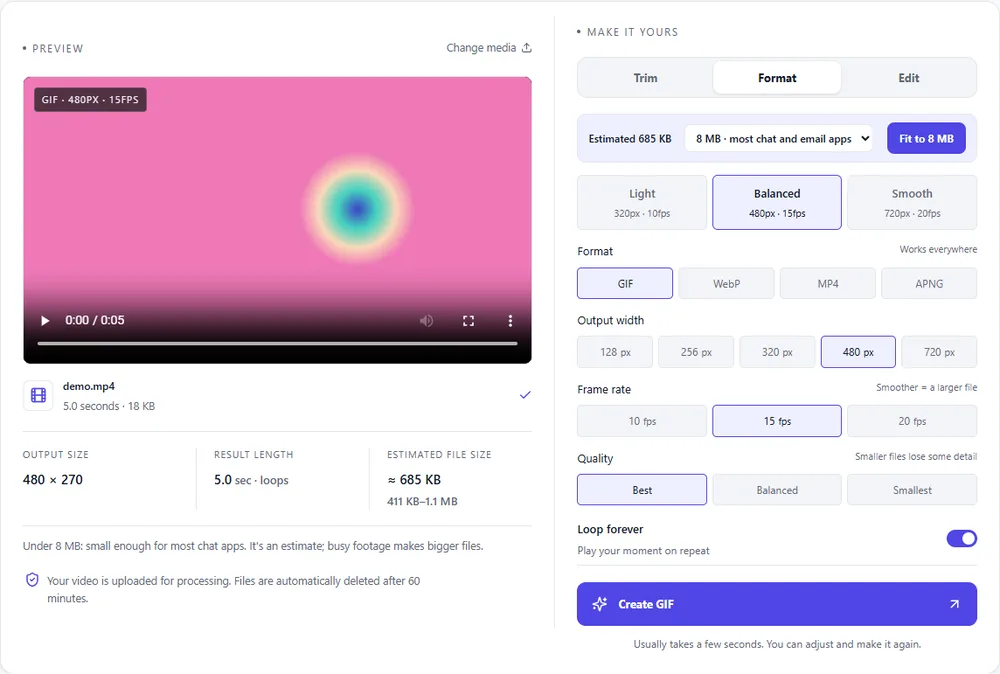
WebM is already a web-first format, so the alternatives to GIF are closer relatives than usual.
| Format | For this clip | Typical size | Good to know |
|---|---|---|---|
| WebPSuggested | The natural partner of WebM: designed for the web, full colour, loops, and far smaller than a GIF. | About 5× smaller | Full colour, animated, loops |
| GIF | Works where WebM doesn't, such as email and older apps, but is much larger than the file you started with. | Largest | 256 colours, up to 720px and 20fps |
| MP4 | Maximum compatibility for video, and very small. It plays once unless the player loops it. | About 15× smaller | Up to 1080px and 30fps, no loop flag |
| APNG | Lossless but heavy. Only worth it for sharp graphics that need to stay exact. | Larger than GIF | Lossless, full colour, loops |
Can’t find yours? The converter explains problems in plain language as they come up.
Yes, with no account and no watermark. There is a modest hourly limit per browser session.
GIF predates modern video compression and stores each frame almost as an image. The size estimate shows what to expect, and WebP or MP4 output is usually much smaller.
Yes. WebM files from browser screen recorders and many web apps convert normally.
No, GIF can't store audio, so only the picture is converted.
Yes, if the link points straight at the file. Links to web pages aren't supported.
Yes. Turn off "Loop forever" and the GIF plays once and stops.
It's free, there's nothing to sign up for, and your files are gone within the hour.