An animated logo for a place that wants GIF
Flat colours come through the 256-colour limit almost untouched.
Turn an animated PNG into a GIF that works in apps that don't know APNG. The frame timing is kept, and you see the file size before you convert.
An APNG is an animated PNG. It looks like a normal .png file, so plenty of apps show only its first frame, or refuse it. That's the usual reason to convert: you made one, or someone sent you one, and the place you want to use it only understands GIF.
The trade is colour. APNG is lossless with millions of colours and proper soft transparency. GIF has at most 256 colours per frame and its transparency is all or nothing. So smooth gradients can show bands and soft shadows turn hard. Flat graphics, logos and pixel art come through nearly untouched.
Size usually goes up as well, though not always by much, because APNG is already heavy. On a test clip the same four seconds were about 1 MB as APNG and 658 KB as GIF, so for photographic motion the GIF was actually smaller. For flat graphics it can go the other way.
Drop the .png file in. If it's animated it opens as an animation; an ordinary still PNG is treated as a picture instead.
Cut to the part you want and choose a width. The length is read from the frame timings.
It shows what the GIF will weigh. If it's too big, lower the width before the quality.
The GIF keeps the loop and the frame timing. Looping can be changed on the Format tab.
Treat these as a first try, not a rule. The size estimate tells you quickly whether to nudge them up or down.
| If you're making | Try | Why it works |
|---|---|---|
| Pixel art or a logo animation | Original width · 20fps · Best quality | Flat colours survive the 256-colour limit. |
| Animated sticker for a GIF-only app | 256px · 15fps | Small, and see-through areas stay see-through. |
| Screenshot animation | 720px · 10fps · Best | Text stays readable and the file stays small. |
| Over a size limit | Use Fit to size to pick settings | It tries combinations and picks the best that fit. |
Flat colours come through the 256-colour limit almost untouched.
Keep the width a multiple of the original and the pixels stay crisp.
Many apps treat it as an ordinary PNG. A GIF plays.
It isn't an animated PNG. Only an APNG, which has several frames inside, becomes an animation.
GIF transparency is on or off, with no soft edge. Use WebP or APNG where the place allows, or match the page colour.
That's the 256-colour limit. Keep quality on Best and avoid shrinking it a lot.
Check the frame rate setting. GIFs are capped at 20 frames per second here; a faster APNG is sampled down.
These are real screenshots from this site, taken with a demo clip. Your own file will give different sizes, but the controls are exactly these.
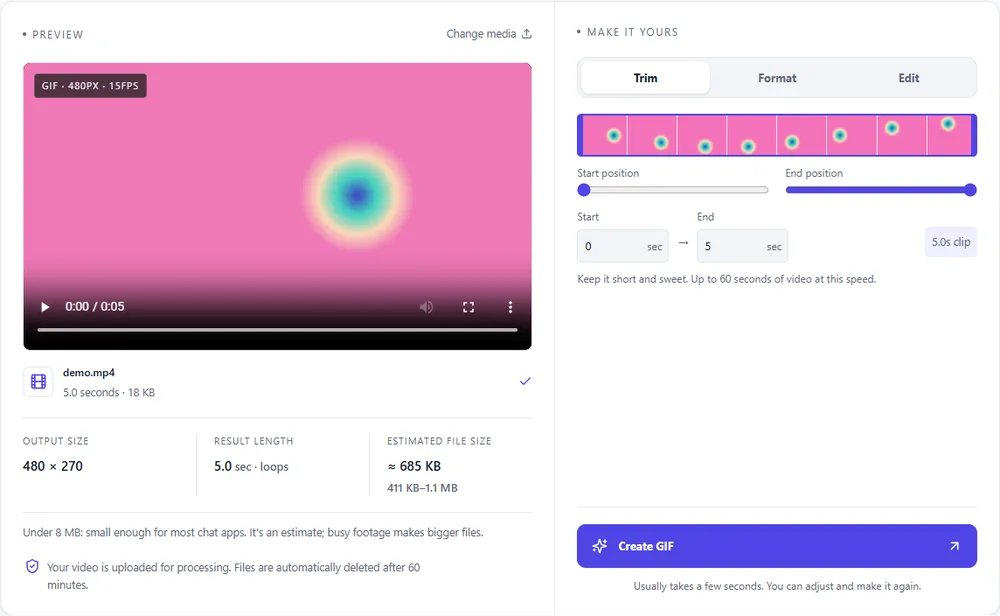
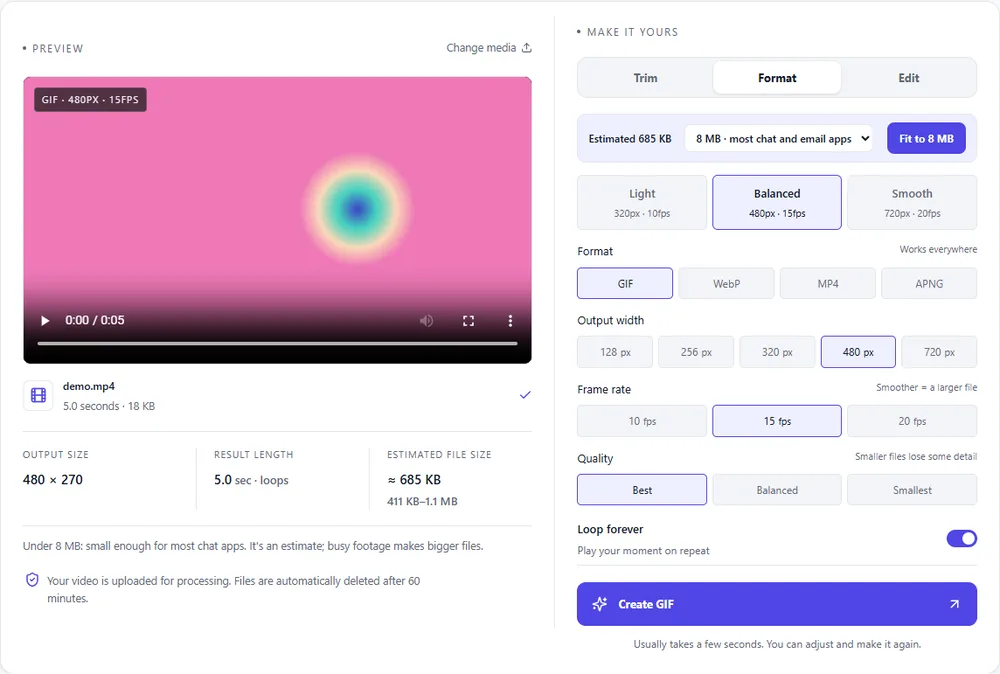
Going from APNG to GIF trades colour depth for compatibility, and other targets keep more of it.
| Format | For this clip | Typical size | Good to know |
|---|---|---|---|
| GIFSuggested | Works everywhere an APNG doesn't, with 256 colours and on/off transparency. | Largest | 256 colours, up to 720px and 20fps |
| WebP | Keeps soft transparency and is much smaller, if the place accepts it. | About 5× smaller | Full colour, animated, loops |
| MP4 | The smallest, with no transparency. | About 15× smaller | Up to 1080px and 30fps, no loop flag |
| APNG | What you started with. Re-export only to trim or resize. | Larger than GIF | Lossless, full colour, loops |
Can’t find yours? The converter explains problems in plain language as they come up.
Drop the animated PNG in, trim and size it, check the estimate and press Create GIF.
It's an APNG if it moves when you open it in a browser. In this tool an animated PNG opens as an animation, and a still one is treated as a picture.
Yes, as on/off transparency. Soft edges become hard, because a GIF pixel is either fully see-through or fully solid.
Often, for photo-like motion, since APNG is lossless and heavy. For flat graphics it can be about the same or larger.
The GIF can run up to 60 seconds, and the frame rate is capped at 20 per second for GIF.
It's free, there's nothing to sign up for, and your files are gone within the hour.