Showing a bug instead of describing it
Record the problem once, cut it to the seconds where it happens, and drop the GIF in the ticket.
Most screen recorders make a video file, and then you have to find a way to turn it into something people can see without pressing play. This one skips the middle step. The recording happens in your browser, it lands in the editor as soon as you stop, and from there it's an ordinary clip: trim it, crop to the window, speed it up, add a line of text, then make the GIF.
It records what the browser lets it record. When you press the button your browser asks which screen, window or tab to share, and shows its own indicator while it does. There's no sound, on purpose. A GIF can't carry audio, so the recorder never asks for it.
Keep it short. A GIF of a minute of clicking is a big file, and nobody watches it anyway. The usual recipe is to record the thing once, cut it down to the ten seconds that matter, crop to the part of the screen you're talking about, and speed it up if there's waiting in it.
Your browser asks what to share: the whole screen, one window or one tab. Sharing just the window or tab keeps everything else off the recording.
A counter shows how long you've been recording. Stop with the button here, or with your browser's own Stop sharing bar. It stops by itself at 60 seconds.
The recording opens like any other video. Drag the handles to the part that matters and crop to the window or the area you're showing.
Check the size estimate, speed it up on the Edit tab if you want, then press Create GIF.
Treat these as a first try, not a rule. The size estimate tells you quickly whether to nudge them up or down.
| If you're making | Try | Why it works |
|---|---|---|
| Bug report | 720px · 10fps · crop to the window · 5 to 10 seconds | Text stays readable and the file stays attachable. |
| Step in a how-to | 720px · 10fps · 8 to 12 seconds · a caption on the click | One short loop per step beats a paragraph. |
| Product demo for a page | WebP or MP4 · 720px · 15fps | Much smaller than a GIF for the same look. |
| Long task, shown fast | 3× speed · 480px · 10fps | A minute of clicking becomes about twenty seconds. |
Record the problem once, cut it to the seconds where it happens, and drop the GIF in the ticket.
A short loop of each click is easier to follow than a paragraph, and it plays without a play button.
Show the feature working in ten seconds instead of writing about it.
Your browser doesn't offer screen capture. It works in current desktop Chrome, Edge, Firefox and Safari. Most phone browsers can't record the screen.
Some protected video (and on a Mac, a browser that hasn't been allowed to record the screen) shows as black. Allow your browser under Screen Recording in System Settings, or share a different window.
That bar also stops the recording. The clip up to that point is kept and opens in the editor.
Trim it, crop to the part you're showing, lower the width one step or the frame rate to 10, or export WebP or MP4.
Give it at least a second or two before you press Stop.
These are real screenshots from this site, taken with a demo clip. Your own file will give different sizes, but the controls are exactly these.
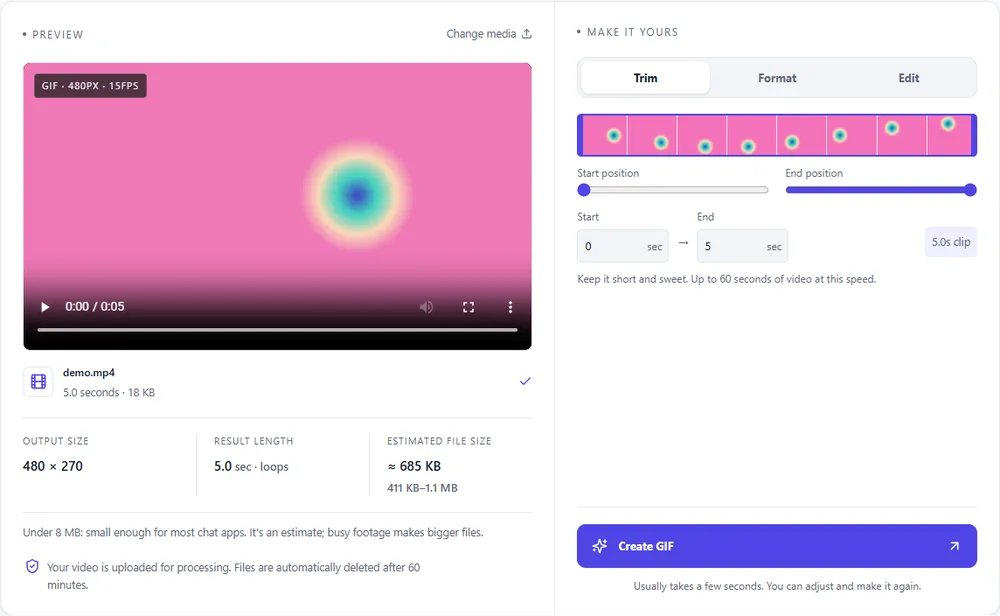
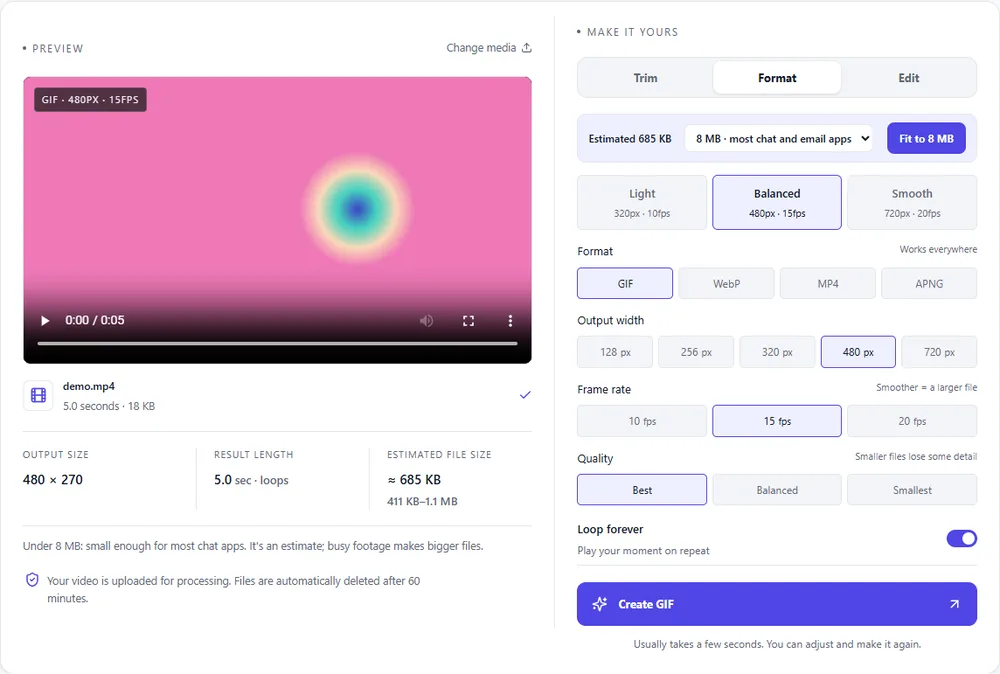
Screen recordings are mostly flat colour and text, which suits some formats much better than others.
| Format | For this clip | Typical size | Good to know |
|---|---|---|---|
| WebPSuggested | Far smaller for the same look, and it loops by itself. The best choice for your own page. | About 5× smaller | Full colour, animated, loops |
| GIF | Works everywhere, and flat interface colours compress reasonably. Keep it short. | Largest | 256 colours, up to 720px and 20fps |
| MP4 | The smallest, and fine when it doesn't need to loop as an image. | About 15× smaller | Up to 1080px and 30fps, no loop flag |
| APNG | Lossless and crisp for text, but heavy. | Larger than GIF | Lossless, full colour, loops |
Can’t find yours? The converter explains problems in plain language as they come up.
Press Record your screen, choose what to share, do what you want to show and press Stop. The clip opens in the editor, where you trim it and press Create GIF.
No. The recording stays in your browser. It's sent to our server only when you press Create GIF, and deleted after an hour.
No. GIFs have no sound, so the recorder doesn't ask for audio.
Up to 60 seconds. The GIF can be up to 60 seconds long too, but shorter is smaller and easier to watch.
Usually not. Most phone browsers don't let a web page record the screen. Record on your phone's own screen recorder instead and drop that video in here.
No watermark, no account and no ads.
It's free, there's nothing to sign up for, and your files are gone within the hour.