A square version for a profile or a grid
Cut a wide clip to 1:1 and it sits in an avatar slot or a thumbnail grid without anything cropping it again.
Cropping throws away the edges of every frame and keeps the rectangle you chose. It's the quickest way to fix a GIF that has black bars, a browser toolbar, or a lot of empty room around the thing you're showing. It also changes the shape, so a wide clip becomes a square one that fits a profile picture or a chat thumbnail.
One thing surprises people: cropping doesn't shrink the file by itself. You set the output width separately, and the cropped part is scaled up to that width. A 480px GIF cropped to a small corner is still a 480px GIF, just a closer one. It gets smaller only when the part you cut off had movement or detail in it, because that's what costs bytes. A static background costs almost nothing either way.
The crop happens first, then rotate and flip, then the speed and size. That order matters if you do all of them: you crop the picture as it was filmed, and the turn is applied to the result.
Drop it in, paste it with Ctrl+V, or paste a link. Trim it to the part you want first, so you're judging the crop on the right frames.
Original, 1:1, 16:9, 9:16 or 4:5, or Free to draw any rectangle. The frame appears on the preview.
Drag it, or click it and use the arrow keys to nudge it, and Shift with the arrows to resize. It keeps the shape you picked.
The estimate updates as you move the frame. Press Create GIF when the frame sits where you want it.
Treat these as a first try, not a rule. The size estimate tells you quickly whether to nudge them up or down.
| If you're making | Try | Why it works |
|---|---|---|
| Profile picture or avatar | 1:1 · 256px · 10fps · 2 to 3 seconds | Small enough to load instantly, and the square shape is what the slot wants. |
| Vertical story or short | 9:16 · 480px · 15fps | Fills a phone screen without letterboxing. |
| Remove black bars | Free · drag the frame to the picture · 480px | The bars are wasted pixels that cost nothing to cut. |
| Zoom in on a detail | Free · small frame · 720px | A bigger output width keeps the closer view sharp. |
Cut a wide clip to 1:1 and it sits in an avatar slot or a thumbnail grid without anything cropping it again.
Crop to the part of the page you're talking about, and the toolbar and tabs disappear.
Pick 9:16 and drag the frame over the subject. It's the quickest way to a story-shaped GIF.
Cropping doesn't change the width setting. Lower the width on the Format tab, or crop away the part that moves.
A ratio such as 1:1 or 16:9 is locked while you resize. Choose Free if you want to change the shape as well.
A small frame scaled up to the output width has fewer real pixels. Use a bigger width, or a larger crop.
Use the Edit tab's shape buttons, which fit the frame for you, or tap the frame and move it with the arrow keys if you have a keyboard.
These are real screenshots from this site, taken with a demo clip. Your own file will give different sizes, but the controls are exactly these.
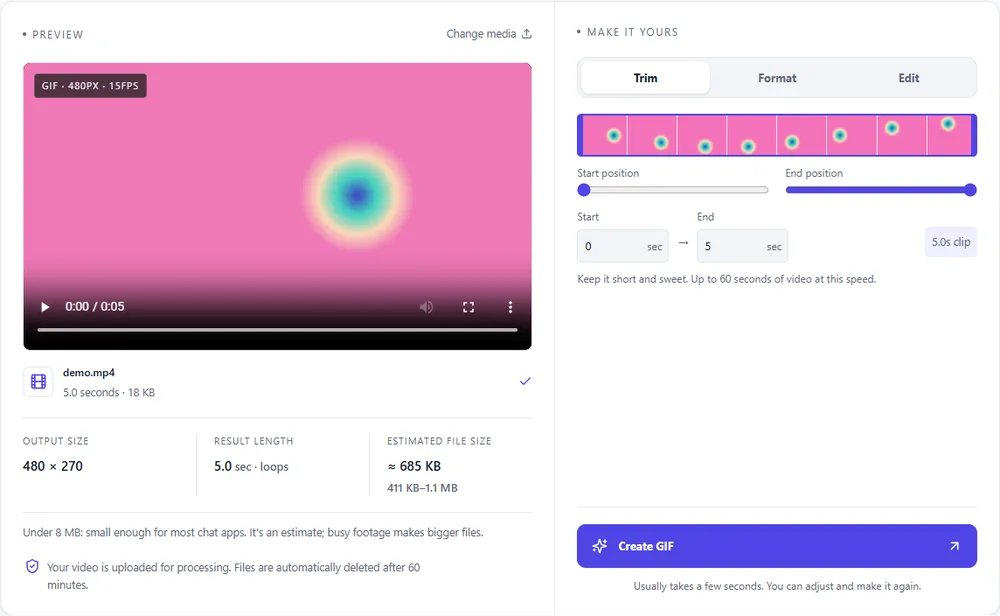
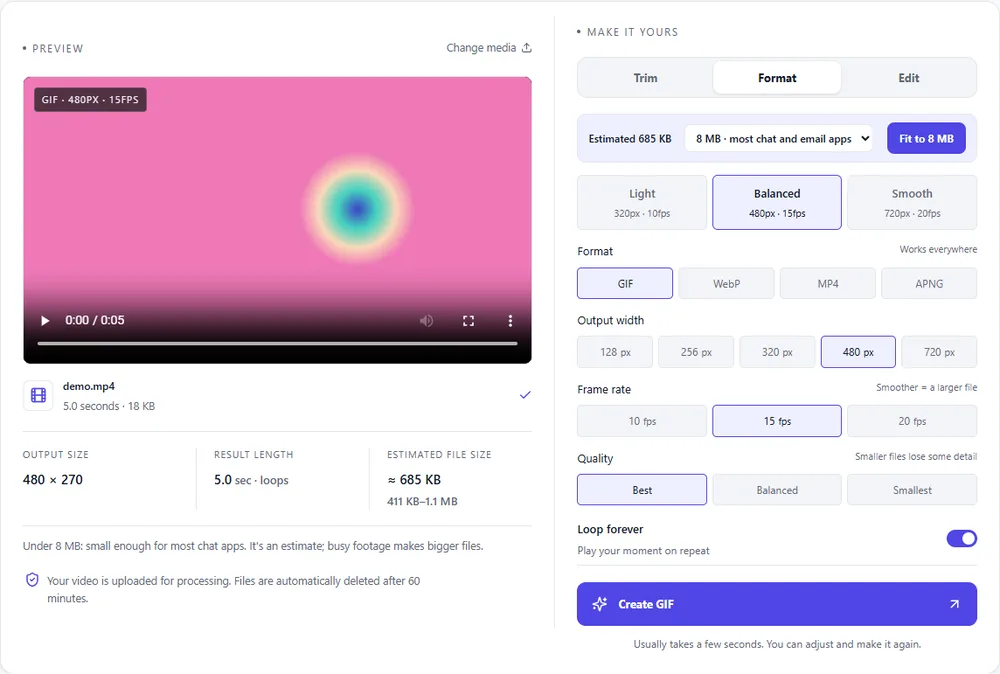
A cropped clip is usually small and often square, which suits some formats better than others.
| Format | For this clip | Typical size | Good to know |
|---|---|---|---|
| GIFSuggested | Works everywhere, and a small cropped frame keeps it light. | Largest | 256 colours, up to 720px and 20fps |
| WebP | Much smaller for the same look, if the place you're posting accepts it. | About 5× smaller | Full colour, animated, loops |
| MP4 | The smallest, and fine when it doesn't need to loop as an image. | About 15× smaller | Up to 1080px and 30fps, no loop flag |
| APNG | Lossless and crisp for graphics, but large. | Larger than GIF | Lossless, full colour, loops |
Can’t find yours? The converter explains problems in plain language as they come up.
Add the GIF, open the Edit tab, choose a shape or Free, move the frame over the part you want to keep, and press Create GIF.
Yes. Pick 1:1 and the largest centred square is chosen for you; drag it if you want a different part.
Only if the part you cut had movement or detail in it. The output width is a separate setting, and a cropped GIF is scaled up to it.
Yes, there's a Rotate and flip row on the same tab. Rotating by 90 degrees swaps the width and height of the result.
Yes. MP4, MOV, WebM, animated WebP and APNG work the same way as a GIF.
It's free, there's nothing to sign up for, and your files are gone within the hour.