Discord says the file is too large
Press Fit on the Format tab with the 20 MB target, or shorten the clip. If you are on a stricter server or an older limit, fit to 8 MB.
Make a GIF that Discord will actually take: under the upload limit for a chat message, or tiny enough for a custom emoji. Pick the limit, press Fit, and see the size before you make it.
Discord has no rule just for GIFs. It has a limit on every file you upload, and a GIF is a format that grows quickly: every frame is a full picture with at most 256 colours, so a few seconds of phone video can easily come to 10 or 20 MB.
Free accounts were reported at 10 MB per file until mid-August 2026 and 20 MB since. Nitro Basic is reported at 50 MB. Custom emoji are a different story: they are capped at 256 KB and shown at about 32 pixels, so an emoji GIF should be short, small and simple.
That is why this page opens with the 20 MB target already chosen. You can switch it to the 256 KB emoji slot, or to 8 MB if you also want to send the same GIF somewhere stricter.
Drop in a video or a GIF, paste it with Ctrl+V, or record your screen. Nothing is uploaded until you press Create.
Trim to the second or two that matters. Length is the biggest lever on file size, far more than quality.
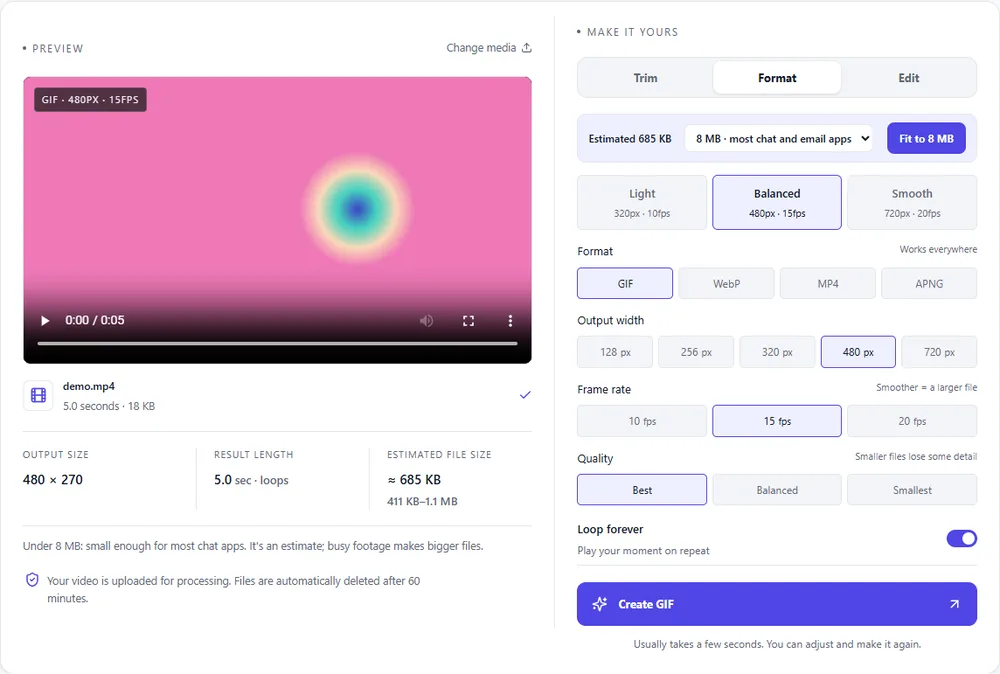
On the Format tab, "Size to fit" is set to 20 MB for Discord. Press Fit and the tool picks the best width, frame rate and quality that stay under it. Choose 256 KB for an emoji.
Create the GIF, download it and drag it into Discord. If an upload ever fails near the line, the error in the app shows the current limit.
Treat these as a first try, not a rule. The size estimate tells you quickly whether to nudge them up or down.
| If you're making | Try | Why it works |
|---|---|---|
| Reaction GIF for chat | 2–3 s · 480px · 15fps · fit to 20 MB | Looks sharp in the chat column and stays well under the limit. |
| Custom emoji | 1–2 s · square crop · 128px · fit to 256 KB | Emoji are shown tiny, so a small square loses nothing you can see. |
| Game clip to show friends | MP4 · 720px · 30fps | Gameplay is busy and long, which GIF handles badly. MP4 keeps it smooth and small. |
| Screen recording of a bug | 2× speed · 720px · 10fps | Interfaces barely move between frames, so a low frame rate keeps text readable and the file light. |
Press Fit on the Format tab with the 20 MB target, or shorten the clip. If you are on a stricter server or an older limit, fit to 8 MB.
Emoji have their own 256 KB cap. Choose the 256 KB target, crop to a square and keep it to a second or two.
Fit trades quality for size. Trim it shorter or crop tighter instead, then press Fit again: it will keep more quality.
Animated avatars and banners need Nitro (or a boosted server for server banners). That is a Discord setting, not the file.
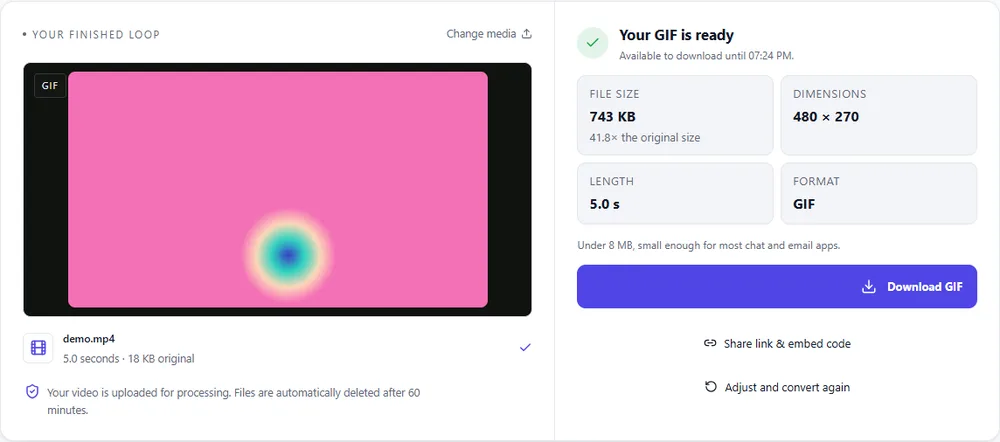
These are real screenshots from this site, taken with a demo clip. Your own file will give different sizes, but the controls are exactly these.
Discord plays GIF, WebP and MP4 in the chat. Which one depends on whether it needs to loop like an image.
| Format | For this clip | Typical size | Good to know |
|---|---|---|---|
| GIFSuggested | Loops and autoplays everywhere in Discord, including as an emoji. The default here. | Largest | 256 colours, up to 720px and 20fps |
| WebP | Much smaller for the same look and loops too, but some places in Discord (like emoji) are pickier about it. | About 5× smaller | Full colour, animated, loops |
| MP4 | Smallest and sharpest for a clip people will watch. It plays with a small player instead of looping on its own. | About 15× smaller | Up to 1080px and 30fps, no loop flag |
| APNG | Lossless and heavy. Useful for Discord stickers, not for chat GIFs. | Larger than GIF | Lossless, full colour, loops |
Can’t find yours? The converter explains problems in plain language as they come up.
There is no GIF-specific limit, only the per-file upload limit: reported as 20 MB for free accounts since mid-August 2026 (10 MB before) and 50 MB for Nitro Basic. Custom emoji are capped at 256 KB.
Trim it, then press Fit on the Format tab with the 20 MB target chosen. The tool lowers width, frame rate and quality only as much as needed.
Crop to a square on the Edit tab, choose the 256 KB target on the Format tab and press Fit. A 128px clip of a second or two is usually enough.
GIF if it should loop and play like an image. MP4 if it's a clip to watch: it is much smaller and Discord plays it in the chat.
Yes. No sign-up and no watermark, and uploads are deleted within an hour. Small clips can even be made on your device without uploading at all.
It's free, there's nothing to sign up for, and your files are gone within the hour.